How to Redeem Codes in Banana Monkey Destruction
Step-by-step redemption for when Kaboom Creations publishes promo rewards — plus fixes for typical errors.
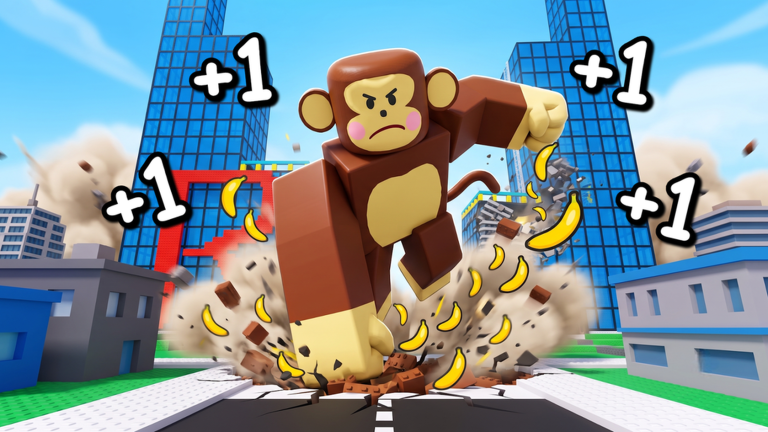
Promo codes in Roblox incrementals are simple when they work and frustrating when they do not. +1 Banana Monkey Destruction by Kaboom Creations does not yet ship a public code list on its official Roblox page, but redemption UI almost always arrives once the studio runs its first social campaign. This guide explains where to look, how to redeem safely, and what to try when a code fails — so you are ready the moment the first working string drops.
Return to the codes hub for the live active and expired tables. This page focuses on mechanics, not inventing rewards.
Before you redeem
Confirm three things before typing anything into a code box:
- Source — The code appears on the codes hub or another official Kaboom Creations channel we link from the wiki links page. Random TikTok strings often misspell expired codes.
- Account — You are logged into the Roblox account that should receive the reward. Codes rarely transfer between alt accounts.
- Server freshness — Join a new server if you just patched Roblox or the experience updated mid-session. Stale instances sometimes lack new UI buttons.
Banana Monkey Destruction is still new; the developers warn players to expect bugs. A missing codes button after an update usually means wait for a hotfix, not that your account is broken.
Where the redemption menu usually lives
Roblox simulators cluster code entry in a handful of predictable places. After launching the experience, scan the HUD in this order:
Side or top icon bar
Look for labels such as Codes, Promo, Settings, or a gift-box icon. Incremental games often tuck redemption behind a gear menu with a text field and Redeem button.
Spawn area NPC or kiosk
Some Kaboom-style maps place a code terminal near spawn. Walk the hub once if you do not see a global button — early builds sometimes use a physical interact prompt before a permanent UI icon is added.
Mobile versus PC
On mobile, icons shrink into a collapsible tray. Expand the menu chevron before assuming codes are PC-only. Touch targets can be small; tap carefully to avoid opening the Roblox purchase prompt instead.
If none of these exist yet, redemption is simply not enabled in the current build. No official codes have been verified as of August 2026, so a missing menu matches what we see on the live listing.
Step-by-step redemption
When the feature is live, follow this sequence:
- Open +1 Banana Monkey Destruction from the official Roblox URL — not a re-upload copy.
- Wait until your character loads and any tutorial prompts finish. Redeeming mid-cutscene can fail silently on some experiences.
- Open the codes panel using the icon or NPC described above.
- Copy and paste the code from the codes hub. Manual typing causes avoidable failures when codes use mixed case or symbols.
- Press Redeem or Enter once. Double submissions can spam error popups without granting extra rewards.
- Check bananas, boosts, or inventory tabs. Some rewards apply as multipliers rather than instant currency.
Screenshot your balance if you plan to report a bug — Kaboom Creations may ask for evidence while the game is early.
Common error messages and fixes
| Symptom | Likely cause | What to try |
|---|---|---|
| Invalid code | Typo, expired campaign, or fake string | Copy from the codes hub; verify expiry |
| Already redeemed | One-time account limit | Switch alts only if the promo allows alts |
| Code not found | UI not updated on this server | Rejoin a new server after patch |
| Nothing happens | Reward is a passive multiplier | Read the code notes; test punch income |
| Menu missing | Feature not shipped yet | Check updates after patches |
Because the game emphasizes punching, collecting bananas, and upgrading stats, many code rewards will probably feed that loop — instant bananas, temporary multipliers, or trainer-related boosts. Exact reward types remain unknown until the first official drop.
Codes versus daily trainer
New players often confuse promo codes with the daily free trainer advertised on the Roblox description. They are different systems:
- Promo codes — Limited strings from marketing events; entered in a codes box.
- Daily trainer — A recurring login-style claim inside the game; covered in the daily trainer guide.
You should claim the trainer every day even when no promo codes exist. Trainers stack with normal banana farming and upgrade spending over time.
Safety and scam avoidance
Never enter Roblox passwords or download “code generators” from strangers. Legitimate redemption happens entirely inside the official experience. Be cautious of Discord servers promising exclusive codes in exchange for Robux or account sharing — Kaboom Creations has no verified official Discord linked from the experience record we checked in August 2026.
Third-party scripts that claim infinite bananas or auto-redeem are unrelated to official codes and can risk account action. This wiki documents scripts for awareness, not endorsement.
After a successful redeem
Spend rewards deliberately instead of burning them on the first visible upgrade:
- If you receive bananas, compare the amount to your next planned purchase on the upgrade priority tier list.
- If you receive a multiplier, remeasure your one-minute farm route using the banana farming guide so planning tools stay accurate.
- If you receive a trainer boost, note the duration and sync future sessions with your daily claim habit.
Early accounts benefit most from following the getting started guide before chasing world-destruction milestones.
When to report a problem
Contact Roblox support for billing issues. For missing code rewards in Banana Monkey Destruction, use the experience comment section or any official social channel Kaboom Creations publishes later. Include the code string, approximate time, and platform (PC, mobile, console). Fan wikis cannot grant codes or restore accounts.
We will revise this page if Kaboom Creations moves the redemption button or adds region-specific campaigns. Check back alongside the codes hub whenever the game patches.
Frequently Asked Questions
Quick answers to the most common questions.
Can I redeem codes on mobile?
Yes, once the codes menu exists in your build. Open the same HUD or settings tray as on PC, paste the string, and confirm. If the button is missing on mobile only, rejoin after an update or report the bug.
Do codes expire?
Most Roblox promo codes expire after a set date or max redemptions. We label expiry on the codes hub when known. Redeem new codes quickly and avoid hoarding strings for later.
Why is there no codes button in my game?
As of August 2026 no public codes are verified, and Kaboom Creations may not have enabled redemption UI yet. That is expected for a new incremental still receiving updates.
Can I use the same code on multiple accounts?
Usually each account can redeem once per code, but event rules vary. If redemption fails on an alt, the promo may be main-account only — read the notes on the codes hub.